Capture full web pages quickly and easily
FireShot is a browser extension designed to capture screenshots of entire web pages or selected sections. It streamlines the process of preserving web content by allowing users to save images in widely used image formats like or even copies to the device’s clipboard. Its straightforward interface emphasizes ease of use, making it accessible for users with varying levels of experience.
Effortless screenshot capture with flexible export options
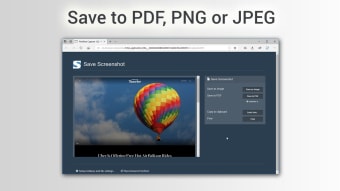
The program provides a simple yet effective way to take screenshots from web pages, letting users choose between capturing the full page or just specific areas. The free version saves screenshots in image formats such as PNG, JPEG, GIF and BMP, while the paid version supports saving in PDF or connecting with external editors. This variety ensures that images are compatible with different uses, whether for documentation, presentations, or sharing. The interface is intuitive, guiding users through the necessary steps without confusion, which supports a smooth workflow when working with web content.
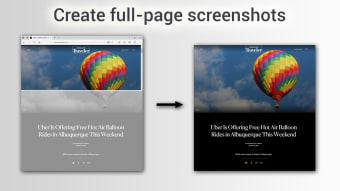
FireShot is a robust and reliable tool for basic web page capture, offering professional-grade full-page screenshots. Additionally, the browser extension instantly copied the images to the device’s clipboard for quick pasting into documents, chats, or other applications, and provides the option to send the captures via email. Its primary strength is its reliable ability to capture an entire scrolling web page from top to bottom, allowing for longer screenshots without needing to cut the image in parts.
Suitable for simple screenshot needs
FireShot delivers a focused solution for capturing full or partial web pages with an accessible design. Its ability to export in several popular formats and share screenshots via email supports efficient content handling. Users looking for an uncomplicated utility will find this program useful, although those needing cross-platform support or advanced integrations may need to look elsewhere.



.png)













.png)